How to Create a Crypto Wallet
Creating a crypto wallet means generating public/private keys and backing up a seed phrase. Learn wallet types, steps, and security tips to store digital assets safely.
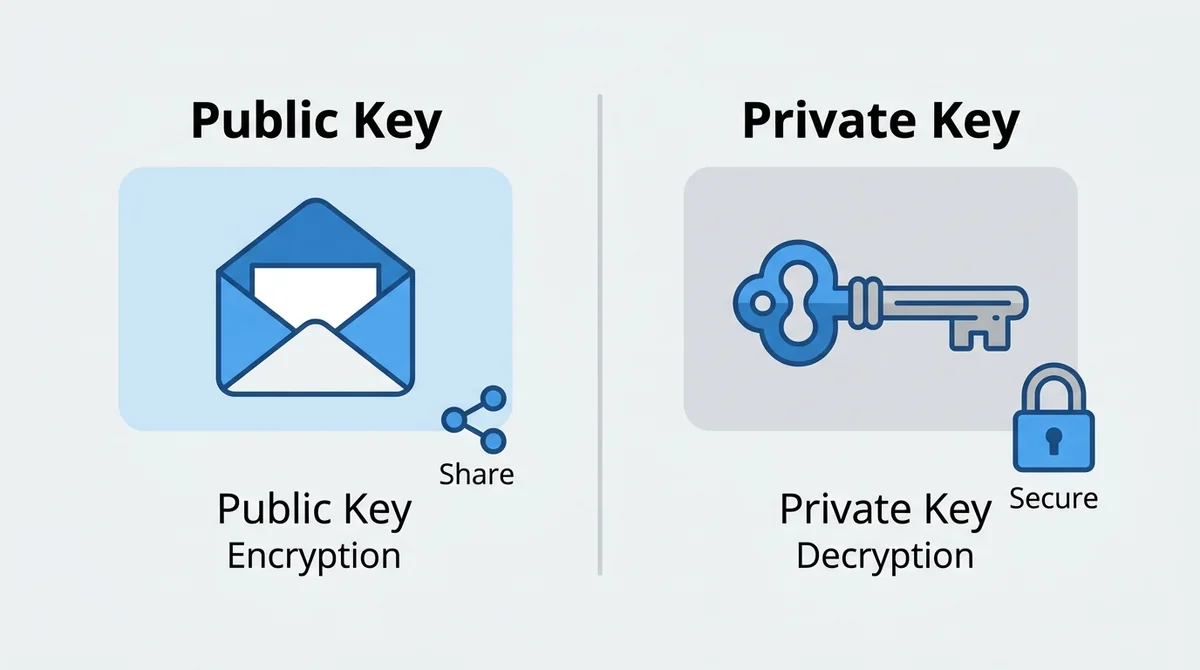
Creating a crypto wallet is essentially generating a pair of "public key" and "private key", and backing up the private key with a seed phrase. The public key is like a bank account number, used to receive assets; the private key is like a withdrawal password—whoever controls it controls the funds on-chain.
Answer: Creating a crypto wallet only takes four steps: choose the wallet type, install the app, set a password, and back up the seed phrase.
#What to Know Before Creating a Crypto Wallet
#What Are Public and Private Keys?
What is a non-custodial wallet is a public address that can be safely shared with others. The private key is the sole proof of ownership and must be kept strictly confidential.
Analogy: The public key is like your home address—others can send mail to it; the private key is like the key to your house—whoever has the key can enter and take things.
#What Is a Seed Phrase?
A seed phrase is another representation of the private key, usually consisting of 12 or 24 English words. As long as you keep the seed phrase safe, you can recover your wallet on any device.
Note: If your seed phrase is leaked, your assets may be stolen. Anyone actively asking for your seed phrase is almost certainly a scammer.
#What Types of Wallets Are There?
- Software wallet: An app installed on your phone or computer, convenient but less secure due to internet connectivity.
- Hardware wallet: A standalone device where the private key stays offline, offering higher security.
- Custodial wallet: The private key is held by an exchange, easy to use but you don't have full control over your assets.
#How to Create a Software Wallet
#Which Software Wallet Should You Choose?
It's recommended to use well-known, open-source wallets like MetaMask or Trust Wallet. They support multiple crypto assets, have active communities, and are updated regularly.
#What Are the Specific Steps to Create a Wallet?
- Download the wallet app from the official website or app store.
- Launch the app and click "Create a new wallet".
- Set a strong password to unlock the app.
- After the app generates the seed phrase, write it down word by word in order.
- The app will ask you to verify the seed phrase in order to confirm.
⚠️ Digital assets carry risks, please operate with caution.
#How to Back Up Your Seed Phrase
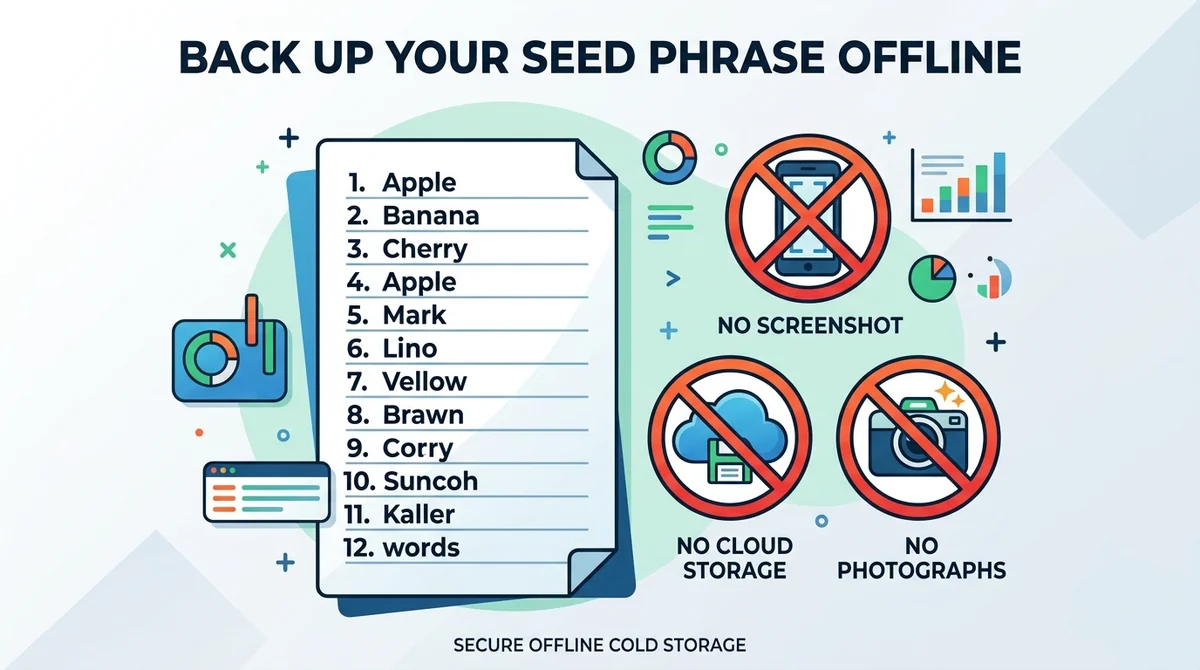
Must be stored offline: Write it on paper and keep it in a secure place.
Forbidden: Do not screenshot, do not take photos, do not sync to the cloud, do not enter it on any website.
#How to Create a Hardware Wallet
#Why Is a Hardware Wallet More Secure?
A hardware wallet's private key is always offline. Even if your computer is infected with malware, the private key won't be exposed.
Analogy: A hardware wallet is like a safe at home—the private key is locked inside; a software wallet is like a pocket—convenient but easier to steal.
#What Are the Steps to Set Up a Hardware Wallet?
- Buy a hardware wallet from official channels, never use second-hand devices.
- Connect it to your computer or phone and follow the on-screen instructions to initialize.
- Set a PIN code to prevent others from using the device directly.
- Record the seed phrase generated by the device and keep it offline as well.
- Create an account through the companion software to start using it.
#How to Import an Existing Wallet
#When Do You Need to Import a Wallet?
When you switch phones, uninstall and reinstall the app, or use a new device, you need to import your wallet to recover your assets.
#What Are the Steps to Import a Wallet?
- Install the wallet app on the new device.
- Select "Import wallet" or "Restore wallet".
- Enter the seed phrase in the correct order.
- Set a new unlock password.
- After importing, immediately check your balance and transaction history.
#How to Stay Secure After Creating a Wallet
#How to Prevent Seed Phrase Leakage
- Never tell anyone your seed phrase, including people claiming to be customer support or officials.
- Do not enter your seed phrase on internet-connected devices.
- Do not store your seed phrase in password managers or cloud notes.
#How to Guard Against Phishing Attacks
- Only get wallets from official websites or official app stores.
- Do not click unknown links in emails, text messages, or social media.
- Double-check the recipient address before transferring, and beware of clipboard tampering.
#Regularly Review Wallet Authorizations
Go to the wallet's "Authorization management" or "Connections" page and revoke permissions for DApps you no longer use.
Note: This article does not constitute investment advice. Digital assets are high-risk, please do your own research and operate with caution.
#FAQ
Q: Can I recover my wallet if I lose my seed phrase?
No. The seed phrase is the only way to recover your wallet. Once lost, your assets cannot be retrieved.
Q: Which is better for beginners, a software wallet or a hardware wallet?
Software wallets are easy to use and suitable for small amounts; hardware wallets are more secure and suitable for long-term storage of large amounts.
Q: Can I store my seed phrase in my phone's notes?
No. Your phone may be compromised by malware, and the seed phrase must be kept offline.
Q: Can my wallet address be made public?
Yes. The address is used to receive assets, and making it public does not lead to theft, but be mindful of privacy.
Q: Does creating a wallet cost money?
No. Legitimate wallet creation is free. Be wary of fake wallets that ask for payment.
FAQ
Can I recover my wallet if I lose my seed phrase?
No. The seed phrase is the only proof of ownership, and once lost, your assets cannot be retrieved.
Which is better for beginners, a software wallet or a hardware wallet?
Software wallets are quick to start and suitable for small assets; hardware wallets are more secure and suitable for long-term storage of large assets.
Can I store my seed phrase in my phone's notes?
No. Your phone may be compromised by malware, and the seed phrase must be kept offline.
Can my wallet address be made public?
Yes. The address is used to receive assets, and making it public does not lead to theft. But be mindful of privacy.
Does creating a wallet cost money?
No. Legitimate wallet creation is free. Be wary of any fake wallet that asks for payment.
Related Terms
Want to see the real data for this concept?
After you sign up, you can view live prices, funding rates, and fees for the related assets.
View live prices and fees →