How to Apply for an IPO on Zerodha: A Step-by-Step Guide
Apply for an IPO on Zerodha in 2026 with this step-by-step guide. Covers UPI mandate approval, status tracking, common mistakes, and scam avoidance.
#How to Apply for an IPO on Zerodha: A Step-by-Step Guide
Applying for an IPO on Zerodha is a straightforward online process that lets you bid for shares of companies going public. You need an active Zerodha trading and demat account, a UPI ID linked to your bank, and sufficient funds. The entire application is paperless and can be completed in a few minutes through the Kite platform and Console.
Key Takeaways
- Zerodha allows you to apply for IPOs online via Kite and Console.
- You must have a Zerodha account and a UPI ID to apply.
- The application process involves selecting the IPO, filling the form, and approving the UPI mandate.
- After applying, you can track your application status on Console.
- Avoid common mistakes like multiple applications or missing the UPI mandate deadline.
#What Is an IPO and How Does Zerodha Simplify the Process?
An IPO (Initial Public Offering) is the first sale of a company's shares to the public. Through Zerodha, you can apply for IPOs entirely online using the Kite platform and Console. The process is paperless and uses UPI for mandate approval. You can track both Mainboard and SME IPOs on Zerodha's IPO page. The self-contained summary: Zerodha provides an online platform to apply for IPOs, allowing investors to bid for shares of companies going public, with applications submitted through Kite and mandates approved via UPI.
Why apply through Zerodha? Zerodha simplifies the IPO application process by integrating it into its existing trading ecosystem. You don't need to visit a bank or fill out physical forms. Everything is done digitally, and you can manage your IPO bids alongside your regular trading activities. The platform also provides a consolidated view of upcoming, live, and closed IPOs.
#What Are the Prerequisites for Applying in an IPO on Zerodha?
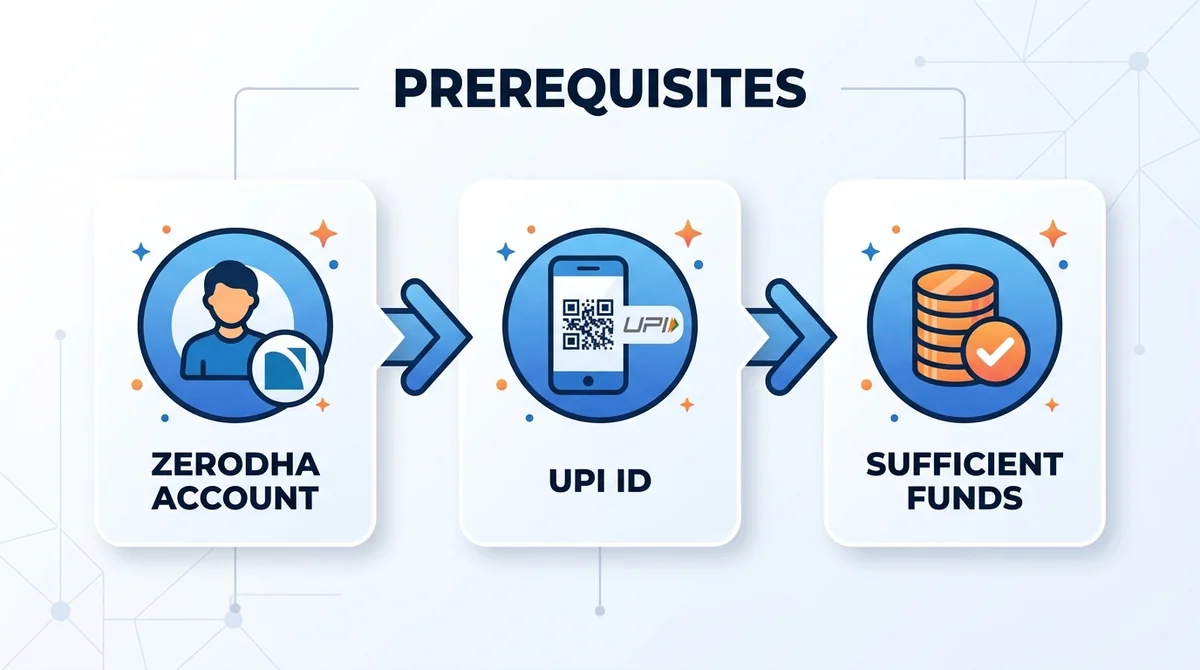
Before you can apply for an IPO on Zerodha, you need to have an active Zerodha trading and demat account. Additionally, a UPI ID linked to your bank account is mandatory for mandate approval. Ensure sufficient funds are available in your bank account for the application amount. Complete your KYC with Zerodha before applying.
Zerodha account requirements Your Zerodha account must be fully operational, with KYC completed. This includes having your PAN, bank details, and demat account linked. If you don't have an account, you can open one online in about 5 minutes.
UPI ID setup You need a UPI ID from a supported UPI app (like GPay, PhonePe, or BHIM). The UPI ID must be linked to the same bank account from which you intend to pay for the IPO application. During the application process, you'll enter this UPI ID, and a mandate request will be sent to your UPI app for approval.
#How to Apply for an IPO on Zerodha Step by Step?
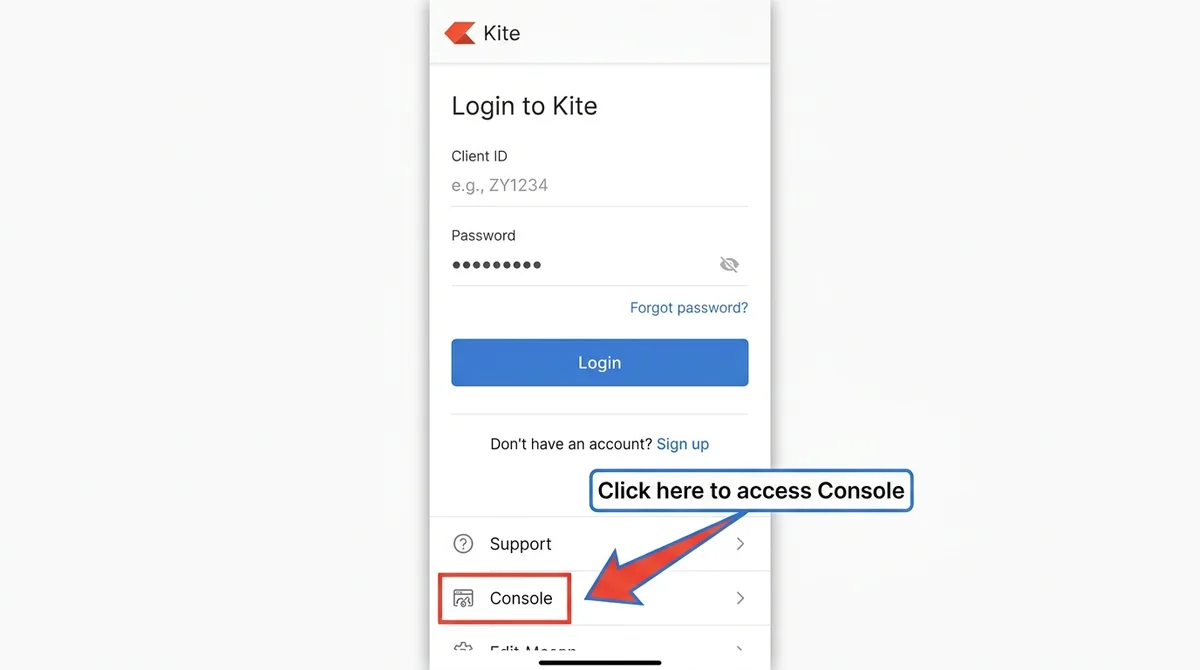
The step-by-step process to apply for an IPO on Zerodha involves logging into Kite, navigating to Console > Portfolio > IPOs, selecting the IPO, filling the form, and approving the UPI mandate. Here's a detailed breakdown:
Log in to Kite and access Console
Log in to your Zerodha account on the Kite web or mobile app. From the dashboard, navigate to Console, which is the back-office platform.Navigate to Portfolio > IPOs
In Console, go to the Portfolio section and click on IPOs. This will show you a list of current and upcoming IPOs.Select IPO and fill application form
Choose the IPO you want to apply for. Fill in the application details such as the number of shares (lot size) and the bid price. You can also choose the investor category (retail, HNI, etc.).Approve UPI mandate
After submitting the bid, a UPI mandate request will be sent to your UPI app. You must approve this mandate before the deadline (usually by the end of the day). Once approved, the application amount is blocked in your bank account.
#How to Confirm Your IPO Application and What Happens After?
After approving the mandate, the application amount is blocked in your bank account. You can check the status of your IPO application on Zerodha Console. If allotted, shares are credited to your demat account; otherwise, funds are unblocked. Allotment is not guaranteed and depends on subscription levels.
Checking application status You can track your IPO application status on Console under the IPOs section. It will show whether your application is submitted, accepted, or rejected. You may also receive email/SMS notifications from Zerodha.
Understanding allotment and refunds If you are allotted shares, they will be credited to your demat account on the allotment date. The blocked funds will be debited to pay for the shares. If you are not allotted, the blocked funds will be unblocked and available in your bank account. The timeline for this is typically within a few days after the IPO closes.
#What Are Common Mistakes to Avoid When Applying for an IPO on Zerodha?
Common mistakes include submitting multiple applications, failing to approve the UPI mandate on time, and not having sufficient funds, all of which can lead to application rejection.
- Using multiple applications: Do not submit multiple applications from the same PAN; it may lead to rejection.
- Incorrect UPI mandate approval: Ensure you approve the UPI mandate before the deadline; otherwise the application is not complete.
- Insufficient funds: Check that you have enough funds in the bank account linked to your UPI ID.
- Not reading the prospectus: Read the IPO prospectus carefully before applying; don't invest blindly.
#How to Stay Safe and Avoid IPO Scams on Zerodha?
To stay safe, always use official Zerodha channels, never share your credentials, and verify IPO information from reliable sources to avoid scams.
Recognizing phishing attempts Always access Zerodha through the official website or app; never click on suspicious links. Zerodha will never ask for your password or OTP over email or phone.
Verifying official communication Check the IPO details on official exchange websites before applying. Be wary of unsolicited tips or guaranteed allotment schemes. If you receive any communication claiming to be from Zerodha, verify it by logging into your account directly rather than clicking links in messages.
FAQ
Can I apply for an IPO on Zerodha without a demat account?
No, you must have a Zerodha trading and demat account to apply for IPOs. The demat account is where allotted shares are credited.
What is the deadline for approving the UPI mandate?
You must approve the UPI mandate before the deadline, usually by the end of the day you submit the bid. Missing the deadline will result in an incomplete application.
How do I check my IPO application status on Zerodha?
You can check your IPO application status on Zerodha Console under Portfolio > IPOs. It will show if your application is submitted, accepted, or rejected.
Can I submit multiple IPO applications from the same PAN?
No, submitting multiple applications from the same PAN may lead to rejection of all your applications. One PAN can submit only one application per IPO.
What happens if I don't get allotted shares in an IPO?
If you are not allotted shares, the funds blocked in your bank account via the UPI mandate will be unblocked and available for use again.
Want to see the real data for this concept?
After you sign up, you can view live prices, funding rates, and fees for the related assets.
View live prices and fees →